Connect an AI agent
Connect Claude to Hule when you want to ask it about your tasks or have it add tasks for you in plain words. This works in:
- Claude.ai, in the browser;
- Claude Desktop;
- Claude Code, in the terminal.
Hule speaks MCP (Model Context Protocol), so any MCP client that supports remote servers with OAuth sign-in connects the same way. The agent sees and changes only what your own account can (why it acts as you).
Before you start
You need a Hule account and an MCP client that can add a remote server and sign in to it over OAuth.
Connect Claude.ai or Claude Desktop
In Claude, open Settings → Connectors. Your connectors are listed.
Click Add and choose Add custom connector. A dialog asks for the connector's name and URL.
Custom connectors depend on your Claude plan
In Claude, adding a custom connector depends on your plan. On a Team or Enterprise plan, an owner may have to add it.
Name the connector
Huleand paste the server address:texthttps://mcp.hule-do.com/mcpClick Add, then click Connect next to Hule. Claude opens Hule in your browser. Sign in if Hule asks you to.
Hule page never opens?
Check that the connector's address ends in
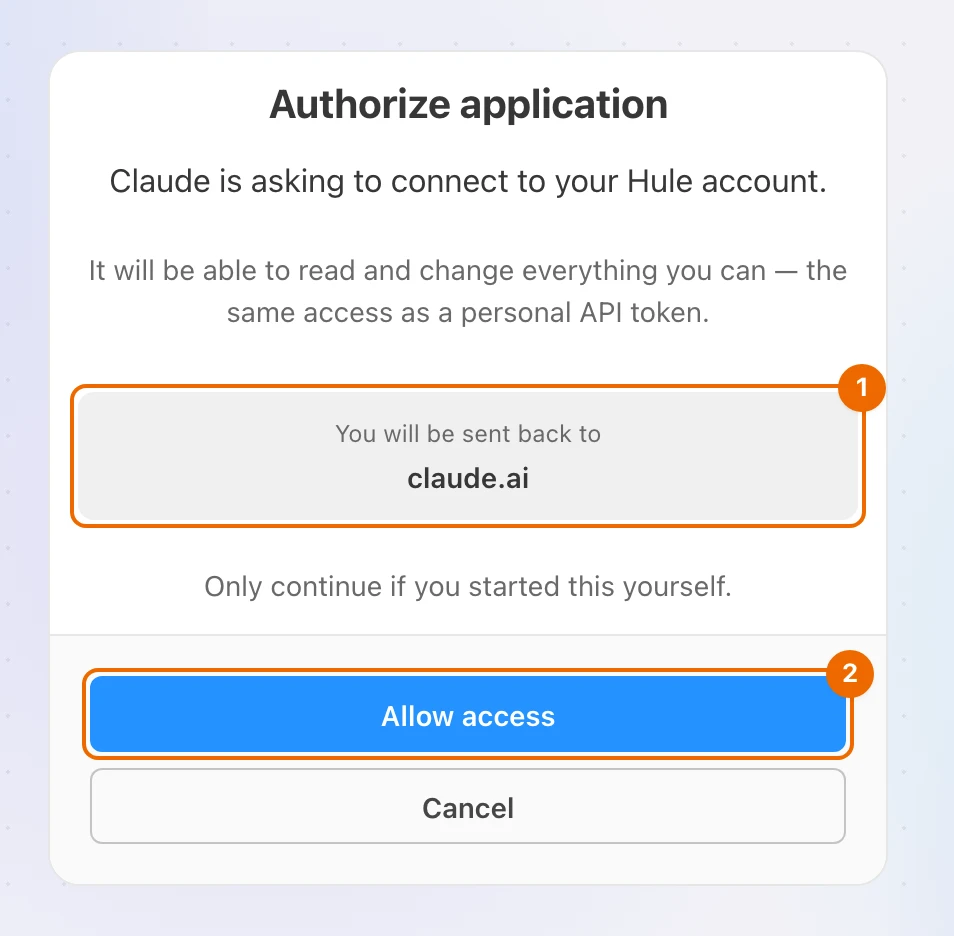
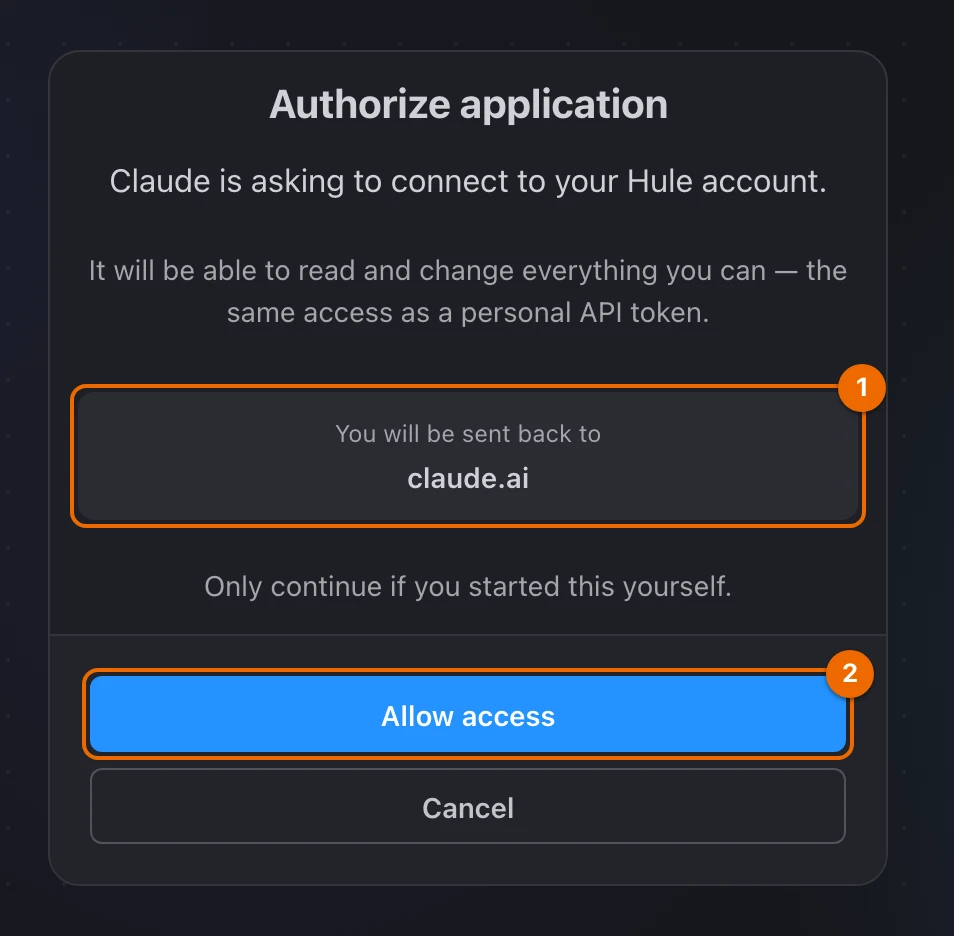
/mcp. If it doesn't, remove the connector in Claude and add it again with the exact address above.On the Authorize application page, check the address under You will be sent back to: it should be Claude's own site. Click Allow access only if you started the connection yourself. The browser returns to Claude, and the Hule connector is on.
Connect Claude Code
In a terminal, run:
bashclaude mcp add --transport http hule https://mcp.hule-do.com/mcpClaude Code adds
huleto its MCP servers.In Claude Code, run:
text/mcpClaude Code lists its MCP servers.
Choose hule, then authenticate. The browser opens Hule's Authorize application page, which says the app runs on your computer.
Click Allow access. Claude Code shows Hule as connected.
Asked to authenticate again later?
If Claude Code says Hule needs authentication, repeat steps 2–4.
Connect another MCP client
In your client, add a remote (HTTP) server with this address:
texthttps://mcp.hule-do.com/mcpThe client opens Hule's Authorize application page.
No Authorize application page?
Your client may not support OAuth sign-in. Hule accepts no other way for an MCP client to connect.
Check the address under You will be sent back to, then click Allow access. The client shows Hule as connected.
Test prompts to try
First check that the agent sees your account:
Which Hule workspaces and lists do I have?It should name your workspaces and lists. Then try a task and a question:
Add "Renew the car insurance" to my Hule list called Errands, due Friday.What tasks are due this week in my Personal folder in Hule?Name the list
Always name the list when you ask for a new task. Hule creates every task in a list, and the agent does not know which list you chose as your Inbox list.
Disconnect an agent
In Hule, open the menu at the bottom of the sidebar (your name) and choose User settings. The settings open.
Open API tokens. Connected apps (apps you connected by signing in) are listed with the OAuth tag, next to any tokens you created yourself.
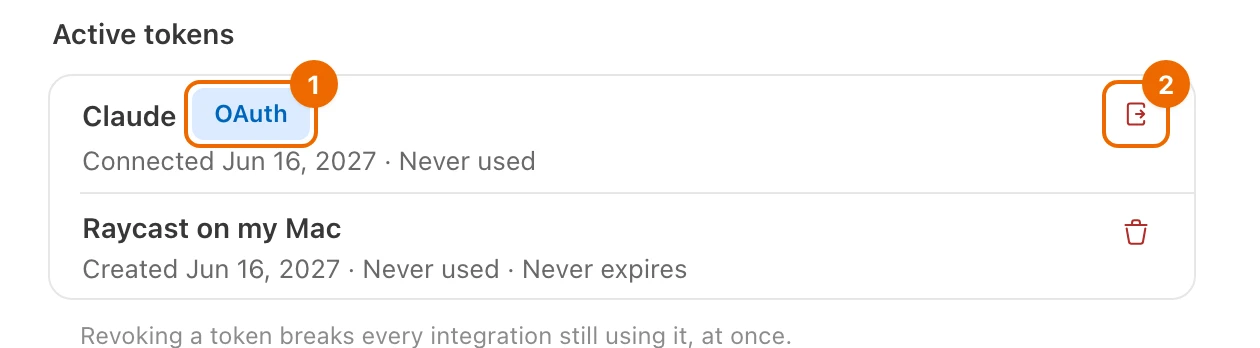
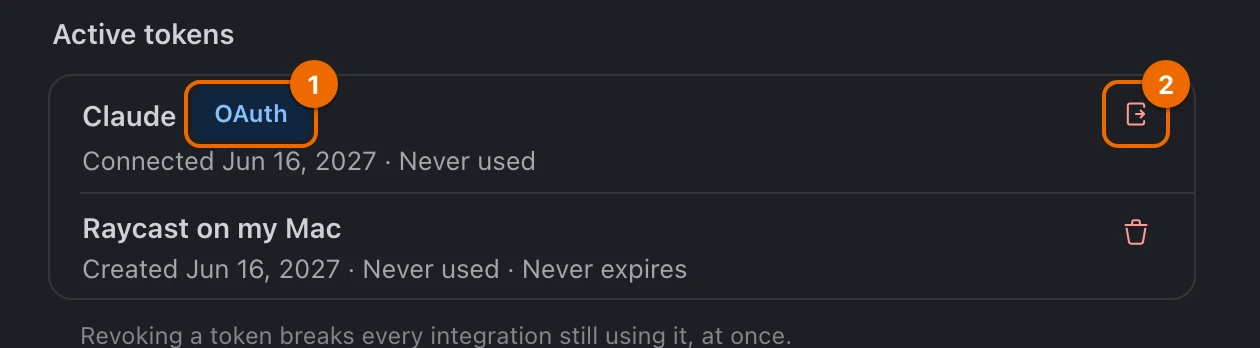
Click the Disconnect button, the exit icon at the end of the app's row. Hule asks you to confirm.
Click Disconnect in the dialog. The agent loses access at once: its tokens are revoked and any open session is closed. To use it again, connect it with the steps above.
If it doesn't work
- The Authorize application page never appears. Remove the connector in the client and add it again with the exact address, ending in
/mcp. - The page says "This request has expired or was already used." A request lasts 10 minutes and works once. Start the connection again from the client.
- Allow access fails with "Could not authorize the application". You may have 20 connected apps, the most Hule allows. Disconnect one you no longer use in User settings → API tokens, then connect again.
- You clicked Cancel on the Authorize application page. Start the connection again from the client, and click Allow access this time.
- Claude Code says Hule needs authentication. Repeat steps 2–4 of Connect Claude Code.
- The agent says it cannot find a list or task. It sees what your account sees. Check that the list exists and that you have access to it, and give the list's exact name.
Related
- Hule and AI: what an agent can do in Hule, and why it acts as you.
- Create tasks from Claude: a daily workflow with Claude and Hule.
- Capture tasks to your Inbox list: the other ways to add tasks quickly.